Telugu Font Style Generator ✍️
Transform your Telugu script text into beautiful handwriting, display, and artistic styles. Copy styled text as images, download solid/transparent PNG previews, or download TTF files instantly.
What is a Telugu Font Style Generator?
A Telugu Font Style Generator is an advanced web-based typography utility designed to help designers, bloggers, and content creators style Telugu text in various artistic fonts. Unlike Latin characters, which have standard Unicode mathematical stylized forms, Telugu typography requires loading actual font files (TTF/OTF) to render unique calligraphy or brush designs. This generator compiles 70+ premium Telugu font files into one easy-to-use playground, showing real-time previews of how your text looks in handwriting, display, and traditional script styles.
Our generator supports both modern Unicode Telugu fonts (compatible across all modern web browsers and mobile devices) and classic legacy formats (including the GIST TLOT and Shree series) that are widely used by DTP professionals and graphic designers in Andhra Pradesh and Telangana.
The Evolution & History of Telugu Typography
The Telugu script, a member of the Brahmi family, has a rich history dating back to the 3rd century BCE, deriving from the Bhattiprolu script. It shares a common Kadamba ancestor with the Kannada script, explaining their strong visual similarities. Characterized by its beautiful circular curves, overhead tick marks (talakattu), and consonant conjuncts (vattulu), Telugu is an alphasyllabary script where syllables are typed in complex overlapping patterns.
When printing technology emerged in South India during the early 19th century, early publishers faced massive hurdles. Because the Telugu script contains over 300 unique combinations of consonants, vowel signs, and ligatures, it required setting up hundreds of custom metal type blocks. Early type designers like William Carey at the Serampore Press had to cast separate pieces for each overlapping glyph, making Telugu printing a labor-intensive craft compared to the simple Latin alphabet.
The shift to digital typesetting in the late 20th century introduced legacy keyboard layouts (like GIST Remington typewriters). To type Telugu, software mapped characters onto Latin keyboard structures. In recent decades, the establishment of the global Unicode standard has united digital languages, enabling native Telugu characters to display instantly across computers and mobile operating systems globally without external rendering packs.
Understanding Telugu Unicode vs. Legacy Font Systems
When working with Telugu typography, you will encounter two primary font architectures:
1. Modern Unicode Telugu Fonts (Peddana, NATS, NTR, Ponnala)
Unicode is the international standard for text representation. Standard Android/iOS keyboards and Google Input Tools type Unicode by default. When you copy Unicode Telugu text, it remains standard Telugu regardless of what font is applied. It is compatible with Instagram bios, WhatsApp chat, Facebook status updates, and web pages because the text is stored as semantic Telugu characters.
2. Legacy Remington Layout Fonts (GIST-TLOT, Shree series)
Before Unicode, software typed Telugu by replacing Latin letters with Telugu glyphs. These fonts are called legacy fonts. Most highly-decorative Telugu calligraphy and script fonts (like GIST Atreya, Vennela, and Golkonda) are designed this way. If you copy a legacy font string, it looks like gibberish English letters. However, in professional DTP tools like Adobe Photoshop, CorelDraw, or MS Word, pasting this code and selecting the GIST font instantly displays beautiful Telugu calligraphy.
How to Generate and Paste Custom Telugu Calligraphy in Photoshop
Telugu syllables are built in three tiers, and a designer has to think in all three. The consonant sits on the baseline, the vowel sign (gunintam) hooks over the top of it, and any secondary consonant (vattu) drops below as a small subscript form. That vertical sandwich is what makes Telugu look so elegant on a Tollywood title card — and what makes it break so visibly when a tool mishandles it. Work through the steps below with that in mind.
Step 1 — Input Telugu Text
Enter your text in the box above using an Android/iOS Telugu keyboard, a phonetic tool such as Lekhini or Google Input Tools, or the RTS scheme most Telugu typists already know. Give the generator Unicode Telugu. If you paste in a string lifted from an old Anu or Shree Lipi document, it is already an ASCII remap and will not convert — retype it in Unicode first.
Step 2 — Preview and Choose Style
Switch to the Legacy / DTP tab for the heavy Anu, Shree Lipi and GIST-style display faces that Andhra and Telangana print shops have relied on for years. Then raise the size slider and audit a syllable with both tiers active — something like ప్రేమ or స్త్రీ. The vattu underneath is the first casualty in a poorly drawn font: it will either sit too far from its base consonant or overlap the descender of the letter below it. And because the gunintam rides above the line, deep script faces need extra leading; the classic mistake on a Telugu wedding card is a top vowel mark clipped by the line above it.
Step 3 — Copy as Image or Download PNG
Press Copy (as image) for a clipboard-ready raster of the styled Telugu, or use PNG download / Transparent to save a file. The image is already shaped — gunintam placed, vattu attached — so no downstream renderer can rearrange it. That is the reliable path for anything that must not go wrong in public: a political banner, a devotional graphic, a film poster credit line. Transparent PNGs drop straight over key art.
Step 4 — Use in Photoshop or Install TTF
Paste the PNG in as a pixel layer, or download the TTF if you need live type. Before typing Telugu in Photoshop, enable the World-Ready / Middle Eastern & South Asian composer in Preferences → Type and choose it from the Paragraph panel menu — without it Photoshop does no Indic shaping and your vattulu will simply not attach. And remember the legacy rule: an Anu or Shree Lipi font maps Telugu glyphs onto Latin codepoints, so paste the converted ASCII string from this page into that layer, never the Unicode Telugu. Unicode into a legacy face renders as a meaningless run of English letters.
Features of the FontGenix Telugu Font Changer
➤ Massive Font Library: Preview your design across 70+ custom Telugu TTF/OTF font files instantly in one workspace.
➤ Telugu Font size controller: Adjust the preview size in real-time to check the readability of headlines, logos, or subheadings.
➤ Favorites List: Pin the styles you love to a separate favorites list for quick access during large design sprints.
➤ No Registration Needed: 100% free tool that runs entirely client-side for rapid, private workflow without any sign-ups or ads.
Types of Telugu Fonts Available
| Font Category | Examples | Primary Use Cases |
|---|---|---|
| Unicode Display Fonts | Peddana, NATS, NTR, Noto Sans Telugu | Blogging headers, website body copy, app interfaces, and social media text. |
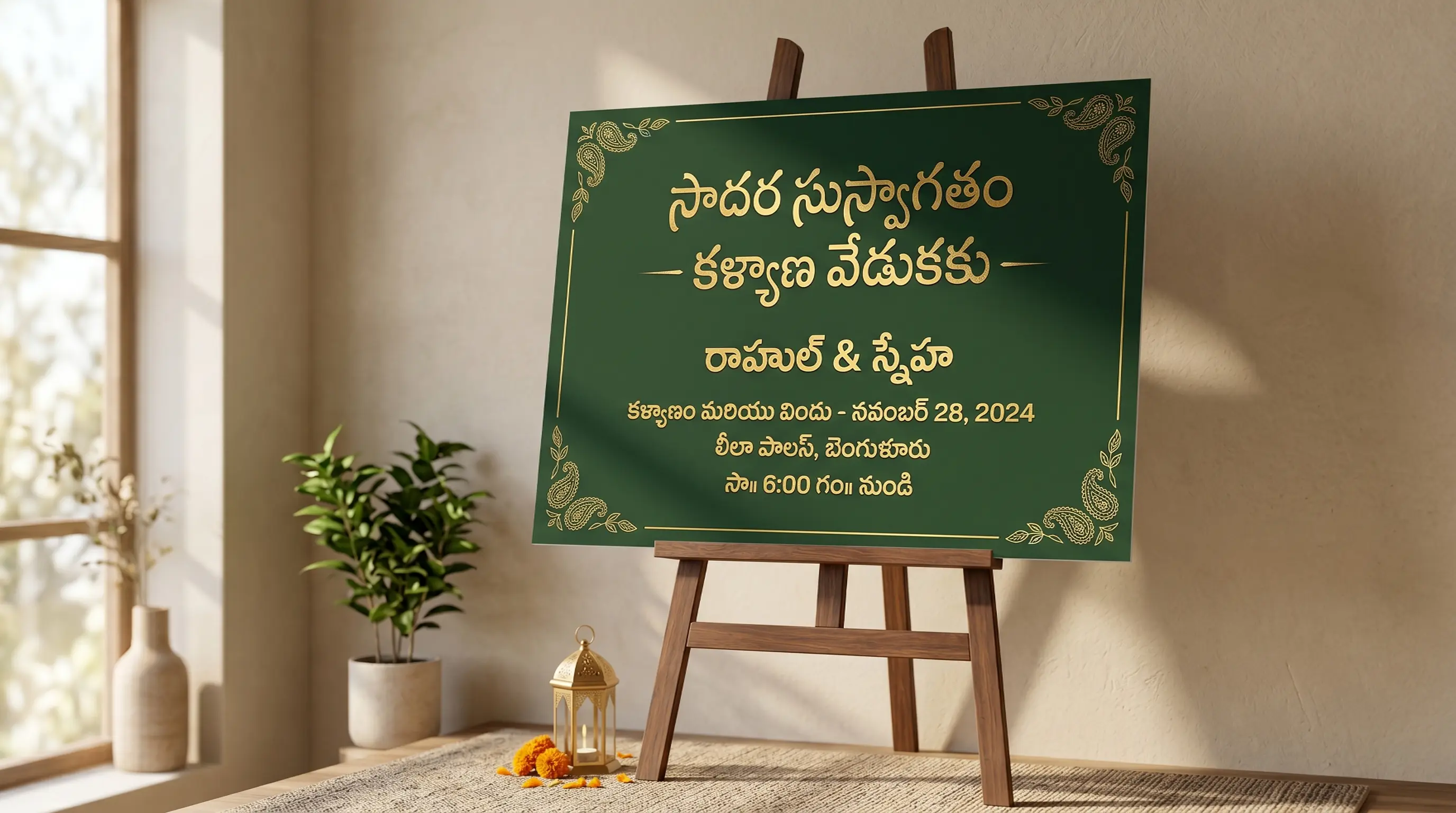
| GIST Calligraphy Style | Golkonda, Atreya, Rajan, Vennela | Banner designs, wedding invitations, festival posters, brand logos, and YouTube thumbnails. |
| Handwriting Styles | Chathura, Ponnala, Dhurjati, Gurajada | Lettering designs, creative quotes, informal designs, and book covers. |
| Decorative Display Styles | Kanakadurga, Spbalasubrahmanyam, JIMS, Suguna | Special seasonal banners, devotional graphics, and high-contrast titles. |
Why Use Telugu Calligraphy Fonts in Graphic Design?
Typography is the backbone of visual storytelling. In India, Telugu calligraphy holds deep cultural and aesthetic value. Standard fonts often lack the personality, curves, and flourish required for festive banners, wedding cards, book covers, and local brand designs. Incorporating premium script styles instantly commands attention and gives design projects a premium, hand-crafted feel.
Using our Telugu font changer, you can experiment with different styles in real time before selecting the perfect look. Whether it is a bold headline for a festival flyer or a soft cursive script for a poetry post, having a diverse font list is essential for any modern graphic designer.
Tips for Installing and Using TTF Fonts on Mobile & Desktop
Two things decide whether an installed Telugu font actually works: whether the application shapes complex scripts at all, and whether the font is Unicode or a legacy ASCII layout. Mix those up and you get either detached vattulu or a screenful of Latin nonsense. Here is how each platform behaves.
How to Install Fonts on Windows & macOS
Double-click the downloaded TTF/OTF, then hit Install on Windows or Install Font in macOS Font Book. Desktop publishing software is where Telugu is happiest — CorelDraw, Photoshop, Illustrator, Premiere Pro and MS Word all build the gunintam-and-vattu stack correctly once the file is present. Just keep the legacy families (Anu, Shree Lipi, GIST) apart from your Unicode ones (Peddana, NTR, NATS, Noto Sans Telugu) in your own head, because the legacy fonts expect ASCII input and a Telugu keyboard will not produce it. If you inherit an old Andhra print-shop file, check which encoding its text layers are in before you edit a single word — this is the number-one cause of a Telugu layout that "suddenly turned into English".
How to Import Fonts to PicsArt & PixelLab (Mobile)
Place the TTF/OTF in the PicsArt/Fonts folder for PicsArt, or load it in PixelLab via the Font section → My Fonts tab → folder icon → your download directory. Kinemaster users can add custom fonts the same way for thumbnail and title work. Then test with a two-tier syllable such as శ్రీ. If the subscript ర floats away from its base consonant, or the top vowel mark lands in the wrong place, that app's text engine cannot shape Telugu and swapping fonts will not help. Render the headline here instead and bring it over with Copy (as image) or a transparent PNG — a raster carries the correct shaping with it, which is precisely why we built that export.
How to Upload Fonts to Canva
Canva Pro and Teams users can add a font under Brand → Brand Fonts → Upload a Font; pick your Telugu TTF and confirm. Mind the licence terms if the artwork is commercial. In practice, put Unicode Telugu faces into Canva for anything you will keep re-editing — event captions, ad copy, social posts — and treat ornate legacy calligraphy (wedding invitations, festival banners, a Tollywood-style title) as a PNG you export from FontGenix and drop onto the Canva canvas as an element. Canva's engine handles Unicode Telugu far more predictably than legacy ASCII layouts.
Explore More Typography Tools
Need styles for other alphabets or symbols? Check out our free tools:
➤ Main Font Generator: Style English/Latin text into 360+ stylish variations on the FontGenix Homepage.
➤ English Font Style Generator: Convert English text into 360+ Google Fonts and Unicode variations on our English Font Style Generator.
➤ Arabic Font Style Generator: Convert Arabic script text into 260+ stylish calligraphy styles on our Arabic Font Style Generator.
➤ Sinhala Font Style Generator: Convert Sinhala script text into 110+ stylish calligraphy styles on our Sinhala Font Style Generator.
➤ Japanese Font Style Generator: Convert Japanese script text into 68+ stylish fonts on our Japanese Font Style Generator.
➤ Hindi Font Style Generator: Convert Devanagari text into 90+ premium calligraphy styles on our Hindi Font Style Generator.
➤ Marathi Font Style Generator: Convert Marathi Devanagari text into 140+ stylish fonts on our Marathi Font Style Generator.
➤ Odia Font Style Generator: Convert Odia script text into 57+ premium calligraphy styles on our Odia Font Style Generator.
➤ Punjabi Font Style Generator: Convert Punjabi script text into 114+ stylish calligraphy styles on our Punjabi Font Style Generator.
➤ Tamil Font Style Generator: Convert Tamil script text into 77+ stylish calligraphy styles on our Tamil Font Style Generator.
➤ Malayalam Font Style Generator: Convert Malayalam script text into 204+ stylish calligraphy styles on our Malayalam Font Style Generator.
➤ Kannada Font Style Generator: Convert Kannada script text into 85+ premium calligraphy styles on our Kannada Font Style Generator.
➤ Bengali Font Style Generator: Convert Bengali script text into 88+ stylish calligraphy styles on our Bengali Font Style Generator.
➤ Gujarati Font Style Generator: Convert Gujarati script text into 48+ stylish calligraphy styles on our Gujarati Font Style Generator.
➤ Nepali Font Style Generator: Convert Nepali script text into 180+ stylish calligraphy styles on our Nepali Font Style Generator.
➤ Cute Font Generator: Decorate standard text with starry borders, bubbles, and flowers on our Cute & Pretty Font Generator.
➤ Fancy Numbers Generator: Convert digits into circled, boxed, or Roman numerals on the Fancy Numbers Font Generator.
Frequently Asked Questions
The Telugu Font Style Generator is an online utility that enables you to style Telugu script text in 70+ custom Telugu fonts (including GIST Calligraphy, traditional script, handwriting, and modern Google fonts). You can type in Telugu, preview the output instantly, copy it as an image, or download solid/transparent PNGs and TTF files.
You can copy the styled text as a high-quality PNG image to your clipboard by clicking the 'Copy (as image)' button, or download it as a PNG file with a solid white or transparent background using the 'PNG download' and 'Transparent' buttons.
You can download the raw TTF or OTF font files directly by clicking the 'TTF download' button next to any font style. This allows you to install the font family locally on your operating system and use it in tools like Photoshop, CorelDraw, Illustrator, or MS Word.
Yes! Standard Unicode fonts work natively, but legacy calligraphy fonts require font files installed on the viewer's device. To share styled calligraphy text on social media like Instagram, WhatsApp, or TikTok, click the 'Copy (as image)' button and paste it directly as a graphic preview in your stories, chat feeds, or posts.
You can write Telugu text using standard keyboards on your phone or PC. Alternatively, you can use Google Input Tools (Telugu Transliteration) to type phonetically in English (e.g. typing "namaste") and have it automatically converted into Telugu script ("నమస్తే") in real-time before pasting it into our input box.
Yes, all Telugu fonts on FontGenix are 100% free to download and use for personal or educational projects. For commercial usage, please refer to the specific licensing terms of individual font authors.
Yes! Once you download the TTF/OTF files from our generator, you can install them on your system to use in professional design software like Adobe Photoshop, CorelDraw, and Illustrator, or import them directly into video editing apps like Kinemaster and graphic design tools like Canva.