Nepali Font Style Generator
Transform your Devanagari text into stunning calligraphy, handwriting, and designer styles. Copy styled text as images, download solid/transparent PNG previews, or download TTF files instantly.
Typing Guide: Type in Nepali (recommended) or English (may not convert perfectly for some fonts). Copy/download as PNG or TTF.
Advertisement
नमस्ते नेपाल
नमस्ते नेपाल
gd:t] g]kfn
gd:t] g]kfn
gd:t] g]kfn
gd:t] g]kfn
gd:t] g]kfn
gd:t] g]kfn
gd:t] g]kfn
gd:t] g]kfn
gd:t] g]kfn
What is a Nepali Font Style Generator?
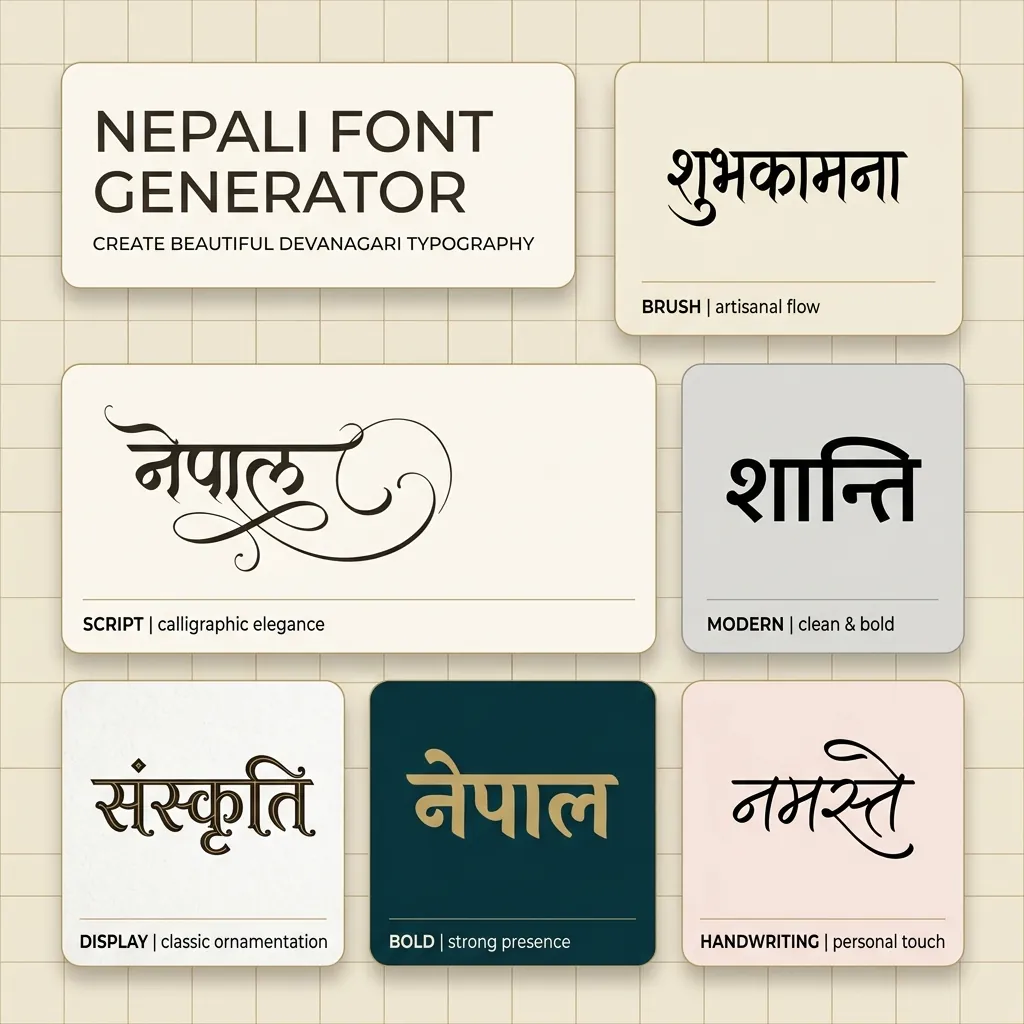
A Nepali Font Style Generator is an advanced web-based typography utility designed to help designers, bloggers, and content creators style Nepali (Devanagari) text in various artistic fonts. Unlike Latin characters, Devanagari typography requires loading actual font files (TTF/OTF) to render unique calligraphy or brush designs. This generator compiles 180+ premium Nepali font files into one easy-to-use playground, showing real-time previews of how your text looks in handwriting, display, and traditional legacy styles.
Our generator supports both modern Unicode Devanagari fonts (compatible across all modern web browsers and mobile devices like Kalimati and Aparajita) and classic legacy fonts (including the popular Preeti, Kantipur, Sagarmatha, and Everest series) that are widely used by DTP professionals and graphic designers in Nepal.
History and Evolution of Nepali Typography
The story of Nepali typography is intimately tied to the evolution of the Devanagari script (originally originating from ancient Brahmi script around the 4th century CE) and the historical transition from handwritten manuscripts to digital typography. Over the centuries, Nepal developed unique regional scripts like Ranjana, Bhujimol, and Prachalit, primarily used by the Newar community for writing Sanskrit and Nepal Bhasa in the Kathmandu Valley. However, Devanagari eventually emerged as the standardized script for official communications and the modern Nepali language.
The Early Printing Era in Nepal
For centuries, written Nepali existed only in the form of handwritten scrolls, copper plates, and woodblock prints used in temples. Modern printing in Nepal commenced in 1851 CE when Prime Minister Jung Bahadur Rana imported the nation's first manual printing press from England, famously known as the Gidhey Press (Vulture Press). This printing press was instrumental in publishing the country's first state legal code (Muluki Ain) and later printing early issues of the historic Gorkhapatra newspaper. These early publications relied on physical metal typesets manufactured by Indian typefoundries.
The Legacy DTP Era (The Preeti Revolution)
With the arrival of personal computers in Nepal during the late 20th century, local designers faced a major challenge: how to type Devanagari characters on standard QWERTY keyboards designed for English. In response, font designers created "legacy" typefaces. The most revolutionary of these was Preeti font, designed in the early 1990s. The Preeti layout mapped Sanskrit and Devanagari glyphs directly to Latin keyboard keys (for example, typing "g]kfn" on the keyboard mapped to the letters "नेपाल"). This layout soon became the default standard across typewriter institutes, local newsrooms, publishers, and government offices throughout Nepal, spawning other popular layouts like Kantipur, Sagarmatha, and Everest.
The Modern Unicode Era
While legacy fonts paved the way for desktop publishing, they suffered from a fatal flaw: the text was not universally readable on other systems without installing the specific font files. The introduction of the global Unicode standard for Devanagari (specifically the U+0900 to U+097F block) solved this problem. The standard enabled computers, mobile phones, and web search engines to process Devanagari characters semantically. Led by local initiatives and organizations like Madan Puraskar Pustakalaya, phonetic Unicode layouts (such as Romanized Nepali) were developed. Fonts like Kalimati and Mangal became the standard for internet websites, digital newspapers, social media posts, and modern operating systems.
Understanding Unicode vs. Preeti (Legacy) Font Systems
When working with Nepali typography, you will encounter two primary font architectures:
1. Modern Unicode Devanagari Fonts (Kalimati, Mangal, Aparajita)
Unicode is the international standard for text representation. Standard Android/iOS keyboards and Google Input Tools type Unicode by default. When you copy Unicode Nepali text, it remains standard Nepali regardless of what font is applied. It is compatible with Instagram bios, WhatsApp chat, Facebook status updates, and web pages because the text is stored as semantic Devanagari characters.
2. Legacy Preeti Layout Fonts (Preeti, Kantipur, Everest, Sagarmatha)
Before Unicode, software typed Nepali by replacing Latin letters with Devanagari glyphs (e.g. typing "g]kfn" produced "नेपाल"). These fonts are called legacy or Preeti-layout fonts. Most highly-decorative Nepali calligraphy and script fonts are designed this way. If you copy a legacy font string, it looks like gibberish English letters (e.g. "g]kfn" instead of "नेपाल"). However, in professional DTP tools like Adobe Photoshop, CorelDraw, or MS Word, pasting this code and selecting the Preeti font instantly displays beautiful Nepali script.
How to Generate and Use Custom Nepali Calligraphy in Photoshop
Almost every Nepali design job starts with the same awkward question: is the text you have been handed actually Nepali, or is it Preeti keystroke code? A Kathmandu press file, an old patrika layout and a government notice may all arrive as strings like g]kfn, while the same words from a client's Facebook post arrive as proper Unicode नेपाल. The steps below keep those two worlds from colliding in your artwork.
Step 1 — Input Nepali Text
Enter genuine Devanagari in the box at the top of this page — from Gboard's Nepali layout, the Nepali Unicode Romanized converter most writers in Nepal use, or Google Input Tools. If you paste something and it appears as Latin rubbish, that is Preeti-layout code and not text: retype the words in Devanagari. Include a word with a stacked conjunct such as क्ष or त्र, and one carrying the Nepali ऽ or a chandrabindu, so you are testing the fonts on the shapes that actually break.
Step 2 — Preview and Choose Style
Step through the styles and judge them on the details a Nepali headline depends on: the weight of the shirorekha, how the i-matra hooks over the top bar, and whether the conjuncts stay legible. Use the Legacy / Preeti tab for the Preeti, Kantipur, Sagarmatha and Everest families that Nepal's print and newspaper trade standardised on decades ago, and the Unicode tab for anything destined for a news portal, a mobile app, or a government form. Drag the size slider to the size you will really print at — the ornate Dashain and Tihar display faces look glorious at 30px and can turn muddy at greeting-card scale, where the fine strokes inside a conjunct start to fill in.
Step 3 — Copy as Image or Download PNG
When a style works, click Copy (as image) to send a rendered raster of that exact line to your clipboard, or grab a PNG download or Transparent PNG. Because the browser has already applied every Devanagari shaping rule before the pixels are drawn, the image is immune to whatever the destination app does or does not support. That is the reliable route for a Dashain or Tihar greeting card, a Nepali YouTube thumbnail, or a tihar shop banner — the transparent version drops over a photograph or a marigold background with no white box around the type.
Step 4 — Use in Photoshop or Install TTF
For live editable type, download the TTF and install it. If it is a Unicode Devanagari face (Kalimati, Mangal, Noto Sans Devanagari), open Photoshop's Preferences → Type first and select the Middle Eastern & South Asian text engine, then restart — without it Photoshop lays Devanagari out with no shaping engine and your matras and conjuncts fall apart on the canvas. Preeti and Kantipur need no such setting: they are ASCII-mapped fonts, so you install them, leave your keyboard in English, and type Latin keys that appear as Nepali. That legacy encoding is the single biggest reason Nepali content is hard to search — a Preeti PDF is stored as Latin characters, invisible to Google and to screen readers, which is why Nepal's government and most news portals have pushed toward Unicode while the print floor still runs Preeti. Design in whichever the deliverable demands, but never mix them in one text layer.
Features of the FontGenix Nepali Font Changer
➤ Massive Font Library: Preview your design across 180+ custom Nepali TTF font files instantly in one workspace.
➤ Devanagari Font size controller: Adjust the preview size in real-time to check the readability of headlines, logos, or subheadings.
➤ Favorites List: Pin the styles you love to a separate favorites list for quick access during large design sprints.
➤ No Registration Needed: 100% free tool that runs entirely client-side for rapid, private workflow without any sign-ups or ads.
Why Use Nepali Calligraphy Fonts in Graphic Design?
Typography is the core of visual communication. In Nepal, Devanagari calligraphy has deep roots in heritage, religious scriptures, and modern advertising. Standard computer system fonts often lack the elegance, curves, and artistic flourish required for high-impact festival banners, Dashain or Tihar greeting cards, local brand logos, and YouTube thumbnails. Utilizing premium font styles like Preeti, Kantipur, Sagarmatha, and Everest immediately makes designs stand out, offering a premium and professional appeal.
By using our Nepali font changer, you can experiment with different styles in real time. Whether you need a bold, thick headline for a localized banner or a soft cursive script for a social media post, having a large collection of fonts is indispensable for Nepalese designers.
Types of Nepali Fonts Available
| Font Category | Examples | Primary Use Cases |
|---|---|---|
| Unicode Devanagari Fonts | Aparajita, Kalimati, Mangal, Noto Sans Devanagari | Government websites, official documents, digital news portals, mobile app interfaces, and social media text. |
| Legacy Preeti Layout Fonts | Preeti, Kantipur, Sagarmatha, Everest | Desktop publishing (DTP), offline printing, local news layouts, banner designs, and traditional books. |
| Calligraphy & Decorative Styles | Himalaya, Bishwa, Ganesh, Aakriti, Dina | Festive greetings, wedding invitations, banners, creative poster headings, and logo creation. |
Tips for Installing and Using TTF Fonts on Mobile & Desktop
Installing the file is trivial. The thing worth learning is which apps will feed a Nepali font the right kind of text and shape it properly — because Preeti and a Unicode face want opposite inputs, and half the "my font is not working" problems in Nepali design come down to that one mismatch.
How to Install Fonts on Windows & macOS
Double-click the .ttf and choose Install on Windows, or Install Font in macOS Font Book. Once it is in, decide which kind of font you have. A Unicode face wants Devanagari and will be shaped by DirectWrite on Windows or Core Text on macOS, so it behaves in Word, Illustrator and Premiere Pro and keeps your text selectable and searchable. Preeti and Kantipur are Latin-encoded fonts — the OS believes they are English typefaces that happen to contain Nepali shapes, so you type on a plain English keyboard and the glyphs do the rest. Practical consequences: a Preeti document has no working spell-check, cannot be searched for Nepali words, and if the recipient does not own the Preeti file the entire page reverts to raw Latin characters. Always outline or embed Preeti text before you send a print file out of the studio.
How to Import Fonts to PicsArt & PixelLab (Mobile)
Move the TTF into PicsArt/Fonts, or load it in PixelLab from the Font panel's My Fonts tab via the folder icon. Before designing anything, type a conjunct like क्ष and a word with an ि matra. Mobile editors are where Devanagari shaping most often fails outright — with no complex-text engine the app draws each codepoint in order, so the pre-base matra stays behind its consonant and half-letters never merge. If your test word breaks, use the Copy (as image) button or the transparent PNG from this page instead and place it as a graphic; the shaping is already resolved and no app can undo it. Preeti-family fonts usually behave in these apps because there is no shaping to perform, which is exactly why Nepali thumbnail designers reach for them so often.
How to Upload Fonts to Canva
Canva Pro accepts custom TTFs under Brand → Brand Fonts → Upload a Font. A Unicode Nepali family uploaded this way shapes correctly and is the right choice for Nepali social posts, portal graphics and slide decks that someone else may need to edit later. If you upload Preeti or Kantipur, remember the rule changes completely — you must paste the ASCII keystroke code (g]kfn) rather than नेपाल, or Canva will discard your font and print plain Latin letters. For a single Dashain card or one festival banner, exporting a transparent PNG from this page and dragging it into the Canva canvas is faster and far less error-prone.
Explore More Typography Tools
Need styles for other alphabets or symbols? Check out our free tools:
➤ Main Font Generator: Style English/Latin text into 360+ stylish variations on the FontGenix Homepage.
➤ English Font Style Generator: Convert English text into 360+ Google Fonts and Unicode variations on our English Font Style Generator.
➤ Arabic Font Style Generator: Convert Arabic script text into 260+ stylish calligraphy styles on our Arabic Font Style Generator.
➤ Sinhala Font Style Generator: Convert Sinhala script text into 110+ stylish calligraphy styles on our Sinhala Font Style Generator.
➤ Japanese Font Style Generator: Convert Japanese script text into 68+ stylish fonts on our Japanese Font Style Generator.
➤ Hindi Font Style Generator: Convert Hindi Devanagari text into 90+ stylish fonts on our Hindi Font Style Generator.
➤ Marathi Font Style Generator: Convert Marathi Devanagari text into 140+ stylish fonts on our Marathi Font Style Generator.
➤ Odia Font Style Generator: Convert Odia script text into 57+ premium calligraphy styles on our Odia Font Style Generator.
➤ Punjabi Font Style Generator: Convert Punjabi script text into 114+ stylish calligraphy styles on our Punjabi Font Style Generator.
➤ Telugu Font Style Generator: Convert Telugu script text into 70+ premium calligraphy styles on our Telugu Font Style Generator.
➤ Tamil Font Style Generator: Convert Tamil script text into 77+ stylish calligraphy styles on our Tamil Font Style Generator.
➤ Malayalam Font Style Generator: Convert Malayalam script text into 204+ stylish calligraphy styles on our Malayalam Font Style Generator.
➤ Kannada Font Style Generator: Convert Kannada script text into 85+ premium calligraphy styles on our Kannada Font Style Generator.
➤ Bengali Font Style Generator: Convert Bengali script text into 88+ stylish calligraphy styles on our Bengali Font Style Generator.
➤ Gujarati Font Style Generator: Convert Gujarati script text into 48+ stylish calligraphy styles on our Gujarati Font Style Generator.
➤ Cute Font Generator: Decorate standard text with starry borders, bubbles, and flowers on our Cute & Pretty Font Generator.
➤ Fancy Numbers Generator: Convert digits into circled, boxed, or Roman numerals on the Fancy Numbers Font Generator.
Frequently Asked Questions
The Nepali Font Style Generator is an online utility that enables you to style Devanagari text in 180+ custom Nepali fonts (including Preeti, Sagarmatha, Everest, and modern Kalimati fonts). You can type in Devanagari, preview the output instantly, copy it as an image, or download solid/transparent PNGs and TTF files.
You can copy the styled text as a high-quality PNG image to your clipboard by clicking the 'Copy (as image)' button, or download it as a PNG file with a solid white or transparent background using the 'PNG download' and 'Transparent' buttons.
You can download the raw TTF font files directly by clicking the 'TTF download' button next to any font style. This allows you to install the font family locally on your operating system and use it in tools like Photoshop, CorelDraw, Illustrator, or MS Word.
Yes! Standard Unicode fonts work natively, but legacy Preeti layout fonts require font files installed on the viewer's device. To share styled calligraphy text on social media like Instagram, WhatsApp, or TikTok, click the 'Copy (as image)' button and paste it directly as a graphic preview in your stories, chat feeds, or posts.
You can write Devanagari text using standard keyboards on your phone or PC. Alternatively, you can type phonetically in English (e.g. typing 'nepal') and have it automatically converted into Devanagari ('नेपाल') in real-time before pasting it into our input box.
Yes, all Nepali and Preeti calligraphy fonts on FontGenix are 100% free to download and use for personal or educational projects. For commercial usage, please refer to the specific licensing terms of individual font authors.
Yes! Once you download the TTF files from our generator, you can install them on your system to use in professional design software like Adobe Photoshop, CorelDraw, and Illustrator, or import them directly into video editing apps like Kinemaster and graphic design tools like Canva.