
Sinhala Font Style Generator
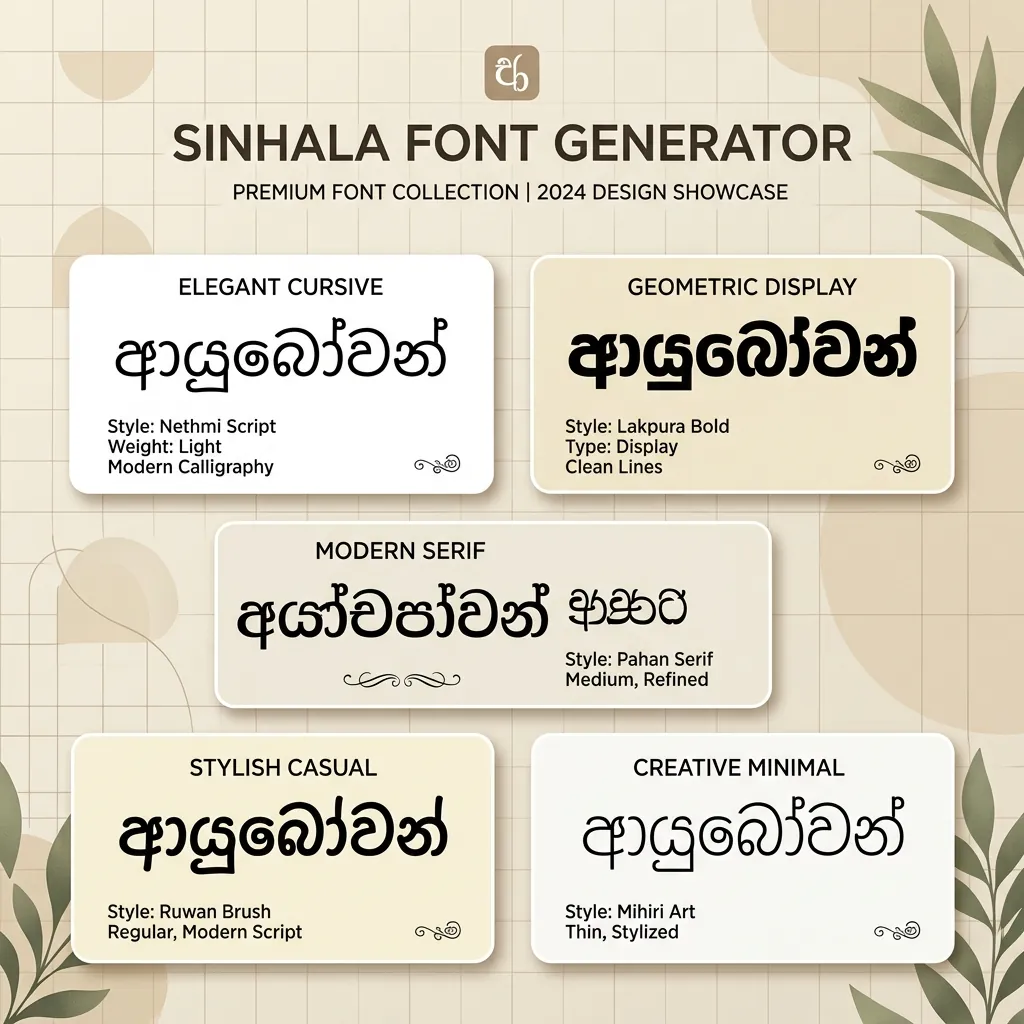
Transform your Sinhala text into stunning calligraphy, traditional handwriting, and display styles. Copy styled text as images, download solid/transparent PNG previews, or download TTF files instantly.
Typing Guide: Type in Sinhala (recommended) or English (may not convert perfectly for some fonts). Copy/download as PNG or TTF.
Advertisement
wdhqfndajka
wdhqfndajka
wdhqfndajka
wdhqfndajka
wdhqfndajka
wdhqfndajka
wdhqfndajka
wdhqfndajka
wdhqfndajka
wdhqfndajka
wdhqfndajka
wdhqfndajka
What is a Sinhala Font Style Generator?
A Sinhala Font Style Generator is an advanced online playground built specifically to help graphic designers, video editors, and DTP layout artists preview, format, and download Sinhala text in beautiful calligraphic layouts. While standard Sinhala Unicode is excellent for reading websites or sending messages, its native typeface variations are limited. Designers frequently rely on legacy keymap configurations like DL-Manel, 4U-Araliya, or AMALEE to produce artistic banners, wedding invitations, and YouTube thumbnails.
Our generator features a built-in, real-time Unicode-to-Legacy Roman converter, which automatically maps typed Sinhala characters to match the layout specifications of legacy fonts. You can preview 110+ premium styles, adjust design borders, add beautiful color gradients, copy the result as an image, or download the TrueType (.ttf) files to use locally.
History and Evolution of Sinhala Typography
The history of Sinhala typography is a fascinating journey that spans over two millennia, evolving from ancient stone inscriptions to modern digital formats. The Sinhala alphabet (known as the Sinhala Hodiya) descended from the ancient Brahmi script, brought to Sri Lanka alongside Buddhism in the 3rd century BCE. Over centuries of local adaptation and cultural synthesis, the script took on a highly distinct, rounded, and circular appearance.
Why is the Sinhala Script Round?
The iconic circular form of Sinhala letters is a direct result of the materials historically used for writing. Scribes in ancient Sri Lanka wrote on dried palm leaves (known as ola leaves) using a sharp iron stylus (called a panhinda). Writing straight horizontal or vertical strokes would cut along the leaf's natural grains, tearing the leaf. To prevent this, writers crafted curved, flowing letterforms. This palm-leaf writing tradition shaped the circular aesthetic of the script, distinguishing it from other Brahmi-derived scripts.
The Press and the Dutch Era
The transition from handwritten palm leaves to printed typography began in the 18th century. The Dutch East India Company established the first printing press in Colombo in 1737 CE. Scribes and Dutch engravers designed the first metal typefaces for Sinhala to print religious scriptures and government proclamations. These metal typefaces standardized the circular letters, making the script suitable for mass book publishing, newspapers, and academic journals during the British colonial era.
Legacy Keymaps vs. Digital Unicode
When computers emerged in the late 20th century, standard English keyboards could not type Sinhala. Sri Lankan typists and developers created custom "legacy" layouts (such as Wijesekera, DL, and FM systems). These legacy fonts mapped Sinhala glyphs directly to English keyboard characters (for example, typing in a legacy layout replaced English letters on screen with Sinhala shapes). In 1999, Sinhala was officially added to the Unicode Standard (U+0D80 to U+0DFF), allowing the script to be read natively across all operating systems without requiring any legacy font installation. Today, while Unicode is standard for the internet, legacy layouts remain popular among desktop designers due to their artistic variety.
Why Use Custom Sinhala Typography in Graphic Design?
Typography is the silent voice of design. In Sri Lanka, the Sinhala script has a circular, flowing aesthetic that adapts beautifully to classic posters, local banner advertisements, and cultural cards. Default system fonts like Nirmala UI or Iskoola Pota look highly standardized and lack the personal touch, energy, and artistic curves required for professional-grade design projects.
By downloading and utilizing high-quality fonts like Araliya, Manel, Ananda, or Nelum, you give your Sinhala layouts a premium look. Our online tool saves you hours of manual transcription by showing you exactly what your text will look like in 110+ font styles at the click of a button.
Types of Sinhala Fonts Available
| Font Category | Examples | Primary Use Cases |
|---|---|---|
| 4U / DL / FM styles (Legacy Roman) | 4u-Araliya, 4u-manel, AMALEE_Plain, AA_Anurada_Normal, AHNelum | Traditional banners, wedding invitation cards, local banners, and printed magazines. |
| Modern Display & Headings | Ananda Bold, aKandyNewSupplement, Aluthge, Senkadagala | YouTube video thumbnails, advertising poster headings, UI labels, and digital graphics. |
Tips for Installing and Using TTF Fonts on Mobile & Desktop
Before you install anything, be clear about which kind of Sinhala font you have downloaded, because the two behave in opposite ways. A Unicode font such as Iskoola Pota, Nirmala UI or Noto Sans Sinhala expects genuine Sinhala characters and lets the application shape them. A legacy Roman keymap font — the FM Abhaya, DL-Manel, 4U-Araliya and AA-Anuradha families that Sri Lankan press and banner studios have used for decades — is an ASCII remap: it stores plain Latin letters and merely paints Sinhala glyphs over them. Put legacy text anywhere the font is not installed, such as a Facebook post, a WhatsApp message or a colleague's laptop, and your සිංහල turns into a meaningless run of Roman letters. Legacy fonts are for closed print files; Unicode is for anything that will travel.
How to Install Fonts on Windows & macOS
Double-click the .ttf, then click Install on Windows or Install Font in macOS Font Book, and relaunch any app that was already running. For Unicode Sinhala in Adobe tools, set Photoshop's composer to Middle Eastern & South Asian under Preferences → Type (older releases ship this as the World-Ready build) and switch InDesign to the World-Ready paragraph composer — without it the vowel signs that wrap around a Sinhala base letter, and the touching consonant ligatures, will be positioned wrongly. Then proof the awkward cases: a letter carrying a full kombuva plus a following stroke, and one of the extended Sanskrit/Pali consonants that sit outside the core "pure Sinhala" (suddha sinhala) set, since many decorative faces were drawn only for the core letters and quietly fall back to a default glyph for the rest.
How to Import Fonts to PicsArt & PixelLab (Mobile)
Copy the TTF into PicsArt/Fonts for PicsArt, or in PixelLab open the Font panel, tap My Fonts, tap the folder icon and browse to the file. Mobile editors are the weakest link for Sinhala: their simplified text engines routinely detach the vowel signs from the round base letter or split a ligature apart, and a Vesak or Avurudu greeting with a floating kombuva reads as sloppy work to any Sinhala speaker. Check one difficult word at full size, and if it renders badly do not try to nudge it into place — style the line here instead and bring it in with Copy (as image) or a Transparent PNG, which arrives as pixels that no app can re-shape.
How to Upload Fonts to Canva
Canva Pro users add fonts via Brand → Brand Fonts → Upload a Font, selecting the .ttf; it then appears in every design in that brand kit, which is exactly what a Sri Lankan shop, a news page or a school running a season of Sinhala posts needs for consistency. Upload only Unicode Sinhala faces here — a legacy keymap font in Canva will show correctly for you and as Latin gibberish for any teammate who opens the design without it. For headline lettering in one of the ornate legacy display styles, do not fight Canva at all: render it on this page, download the transparent PNG, and drop it on the canvas as a locked graphic layer above your Unicode body text.
Explore More Typography Tools
Need styles for other alphabets or symbols? Check out our free tools:
➤ Main Font Generator: Style English/Latin text into 360+ stylish variations on the FontGenix Homepage.
➤ English Font Style Generator: Convert English text into 360+ Google Fonts and Unicode variations on our English Font Style Generator.
➤ Hindi Font Style Generator: Convert Hindi Devanagari text into 90+ stylish fonts on our Hindi Font Style Generator.
➤ Nepali Font Style Generator: Convert Nepali Devanagari text into 180+ stylish fonts on our Nepali Font Style Generator.
➤ Marathi Font Style Generator: Convert Marathi Devanagari text into 140+ stylish fonts on our Marathi Font Style Generator.
➤ Odia Font Style Generator: Convert Odia script text into 57+ premium calligraphy styles on our Odia Font Style Generator.
➤ Punjabi Font Style Generator: Convert Punjabi script text into 114+ stylish calligraphy styles on our Punjabi Font Style Generator.
➤ Telugu Font Style Generator: Convert Telugu script text into 70+ premium calligraphy styles on our Telugu Font Style Generator.
➤ Tamil Font Style Generator: Convert Tamil script text into 77+ stylish calligraphy styles on our Tamil Font Style Generator.
➤ Malayalam Font Style Generator: Convert Malayalam script text into 204+ stylish calligraphy styles on our Malayalam Font Style Generator.
➤ Kannada Font Style Generator: Convert Kannada script text into 85+ premium calligraphy styles on our Kannada Font Style Generator.
➤ Bengali Font Style Generator: Convert Bengali script text into 88+ stylish calligraphy styles on our Bengali Font Style Generator.
➤ Gujarati Font Style Generator: Convert Gujarati script text into 48+ stylish calligraphy styles on our Gujarati Font Style Generator.
➤ Arabic Font Style Generator: Convert Arabic script text into 260+ stylish calligraphy styles on our Arabic Font Style Generator.
➤ Japanese Font Style Generator: Convert Japanese script text into 68+ stylish fonts on our Japanese Font Style Generator.
➤ Cute Font Generator: Decorate standard text with starry borders, bubbles, and flowers on our Cute & Pretty Font Generator.
➤ Fancy Numbers Generator: Convert digits into circled, boxed, or Roman numerals on the Fancy Numbers Font Generator.
Frequently Asked Questions
The Sinhala Font Style Generator is an online utility that enables you to style Sinhala text in 110+ custom Sinhala fonts. You can write in Sinhala, preview the output instantly, copy it as an image, or download solid/transparent PNGs and TTF files.
You can copy the styled text as a high-quality PNG image to your clipboard by clicking the 'Copy (as image)' button, or download it as a PNG file with a solid white or transparent background using the 'PNG download' and 'Transparent' buttons.
You can download the raw TTF font files directly by clicking the 'TTF download' button next to any font style. This allows you to install the font family locally on your operating system and use it in tools like Photoshop, CorelDraw, Illustrator, or MS Word.
Yes! To share styled calligraphy text on social media like Instagram, WhatsApp, or TikTok, click the 'Copy (as image)' button and paste it directly as a graphic preview in your stories, chat feeds, or posts.
You can write Sinhala text using standard Sinhala Unicode keyboards on your phone or PC. Our tool also has a built-in translator that automatically translates English inputs into Sinhala characters in real-time.
Yes, all Sinhala fonts on FontGenix are 100% free to download and use for personal or educational projects. For commercial usage, please refer to the specific licensing terms of individual font authors.
Yes! Once you download the TTF files from our generator, you can install them on your system to use in professional design software like Adobe Photoshop, CorelDraw, and Illustrator, or import them directly into video editing apps like Kinemaster and graphic design tools like Canva.