
How to Create Fancy Text Online: Step-by-Step Guide
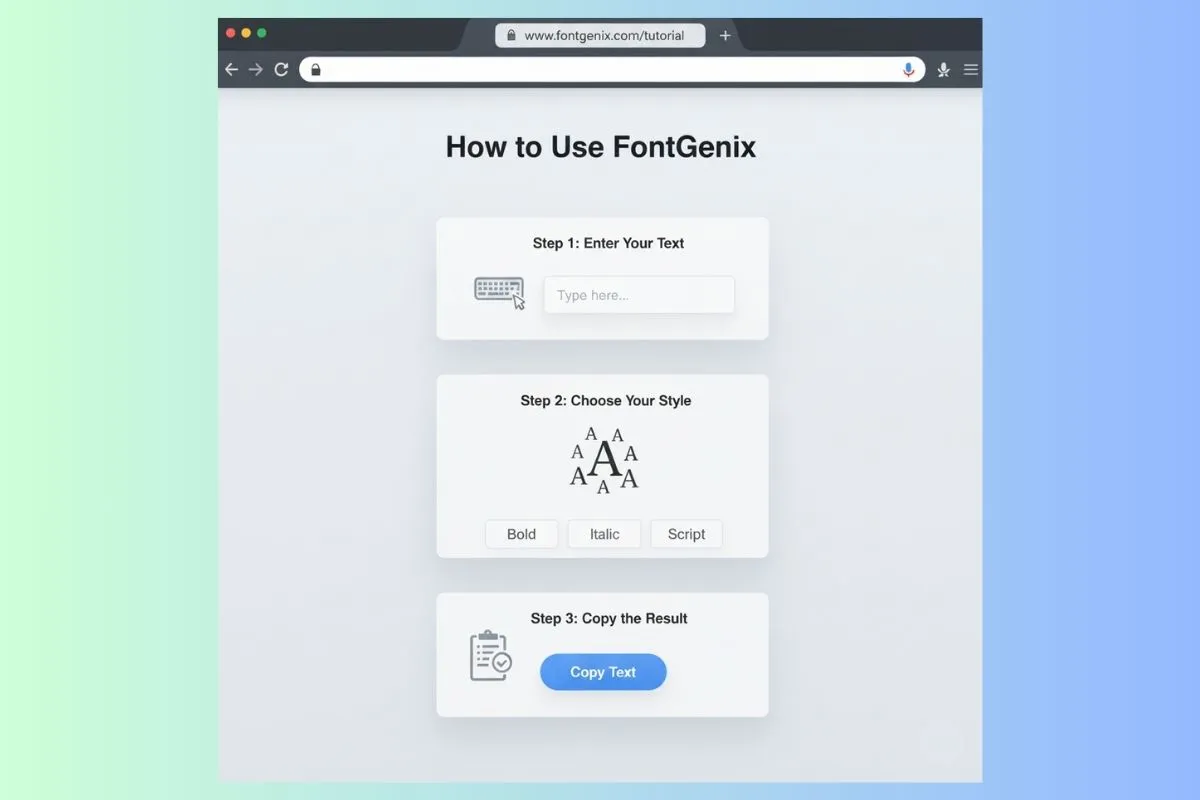
Creating fancy text online has never been easier. Whether you want to add personality to your social media bios, make your gaming username stand out, or create unique visual interest in your digital communications, this comprehensive step-by-step guide will take you from beginner to fancy text expert in minutes.
What is Fancy Text?
Fancy text refers to stylized versions of regular text created using Unicode characters — a universal encoding standard that includes thousands of special symbols that look like different font styles. These characters work across most modern platforms and devices, allowing you to paste stylized text anywhere that accepts regular text.
Examples of fancy text styles include:
- 𝓒𝓾𝓻𝓼𝓲𝓿𝓮 𝓢𝓬𝓻𝓲𝓹𝓽 — Flowing, elegant handwriting style
- 𝗕𝗼𝗹𝗱 𝗠𝗮𝘁𝗵𝗲𝗺𝗮𝘁𝗶𝗰𝗮𝗹 — Strong, impactful weight
- 𝔊𝔬𝔱𝔥𝔦𝔠 𝔖𝔱𝔶𝔩𝔢 — Medieval blackletter typography
- ⓑⓤⓑⓑⓛⓔ ⓣⓔⓧⓣ — Playful circled letters
- full-width — Retro digital aesthetic
Step-by-Step Guide to Creating Fancy Text
Step 1: Choose Your Font Generator
Start by selecting a reliable fancy text generator. FontGenix is recommended because it offers:
- 200+ font styles across 21 categories (we also compare various other font generation tools)
- Real-time preview as you type
- One-click copy functionality
- Mobile-friendly interface
- No registration required
- Completely free to use
Step 2: Navigate to the Generator
Visit fontgenix.com on your browser. You'll see a large input field at the top of the page — this is where you'll type your text.
Step 3: Type Your Text
Click on the input field and start typing. As you type each character, you'll see all available font styles update in real-time below the input field. This instant preview makes it easy to find exactly what you're looking for.
Tips for this step:
- Start with a short phrase to quickly browse styles
- Try different cases (all caps, all lowercase, mixed) as they can look dramatically different
- Test with your actual text for accurate preview
Step 4: Browse Font Categories
FontGenix organizes fonts into 21 categories for easy browsing:
- Cursive & Script
- Bold & Italic
- Emoji & Special
- Elegant & Decorative
- Vintage & Artistic
- And many more...
Use the category dropdown to jump directly to the type of font you're looking for, saving time browsing through all options.
Step 5: Search for Specific Styles
If you know what style you want, use the search function to filter results. Search terms like "gothic," "script," "bubble," or "bold" will narrow down the options instantly.
Step 6: Select and Copy Your Preferred Style
Once you find a style you love, simply click on the font style box. The text is automatically copied to your clipboard. A toast notification confirms the copy was successful.
Step 7: Paste and Use Your Fancy Text
Navigate to wherever you want to use your fancy text and paste it (Ctrl+V on desktop, or long-press + Paste on mobile). Your stylized text will appear exactly as it looked in the preview.
Advanced Fancy Text Techniques
Combining Multiple Styles
Generate different styles for different parts of your text:
- Generate your name in script: 𝓙𝓸𝓱𝓷
- Generate your tagline in bold: 𝗖𝗼𝗻𝘁𝗲𝗻𝘁 𝗖𝗿𝗲𝗮𝘁𝗼𝗿
- Combine them: 𝓙𝓸𝓱𝓷 | 𝗖𝗼𝗻𝘁𝗲𝗻𝘁 𝗖𝗿𝗲𝗮𝘁𝗼𝗿
Using the URL Parameter
Share specific text in FontGenix by adding ?text=YourText to the URL. This is useful for sharing specific text configurations with others.
Recently Used Fonts
FontGenix remembers your recently used font styles, making it easy to maintain consistency across multiple pieces of text.
Platform-Specific Considerations
- Instagram: Supports virtually all Unicode fonts — great for bios and comments
- Twitter/X: Good support, some complex characters may not render
- Facebook: Solid support for most Unicode characters
- WhatsApp: Excellent support, works great for names and status
- LinkedIn: Use sparingly — professional context requires subtlety
- Discord: Excellent support across all font styles
Conclusion
Creating fancy text online is a simple, powerful way to enhance your digital presence. With FontGenix's intuitive interface and extensive font library, you can transform any text into something visually striking in seconds. Follow this step-by-step guide to master fancy text creation (or read our tips on using a cool text generator) and start standing out across all your digital platforms today!